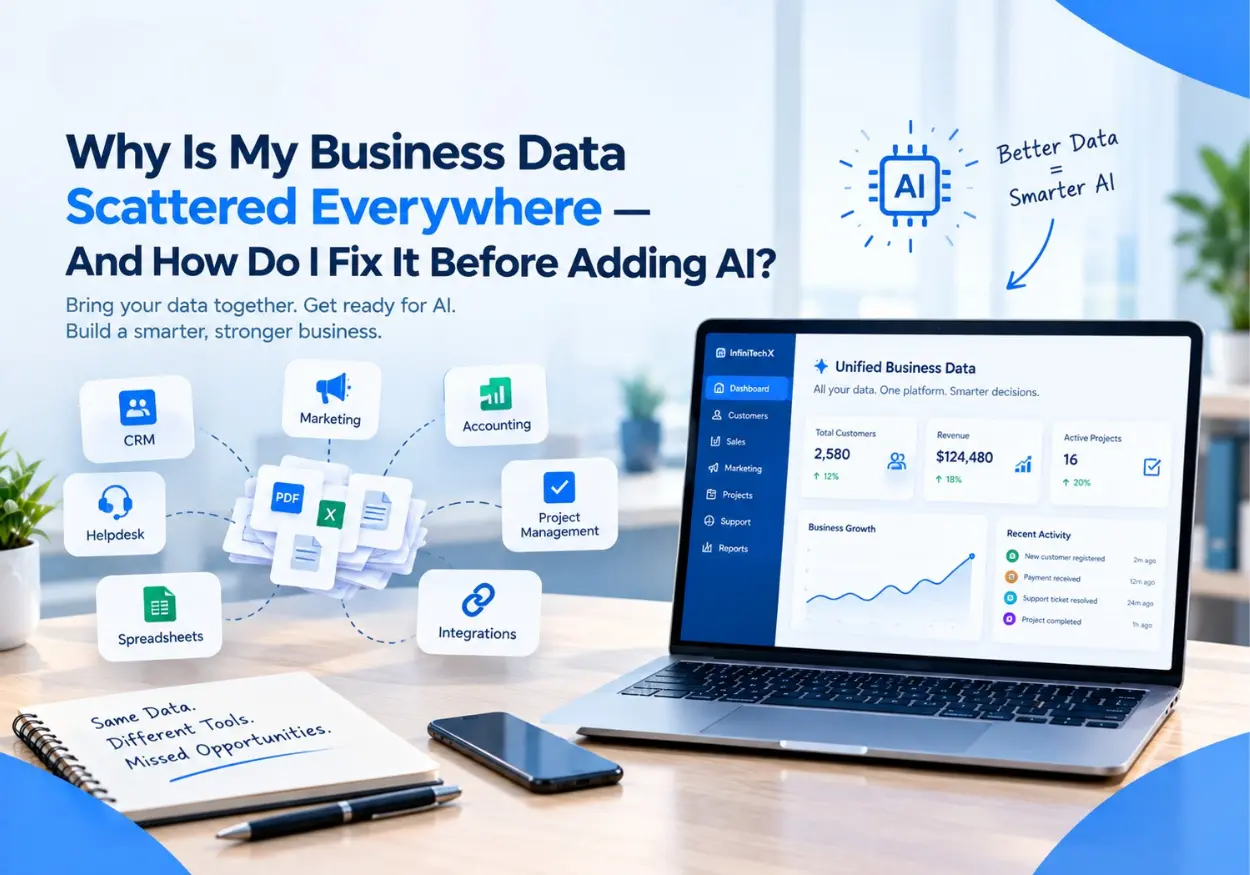
Why Is My Business Data Scattered Everywhere - And How Do I Fix It Before Adding AI?
Here's a situation a lot of founders recognize.
You're running a growing business. You have a CRM that holds your customer contacts. A separate tool for email marketing. An accounting platform. A project management system. A helpdesk. Maybe a spreadsheet or two that someone built three years ago and nobody wants to touch. And somewhere in the mix, a handful of app integrations that half-work on a good day.
You want to add AI. You've heard what it can do - automate follow-ups, surface insights, handle repetitive tasks, make your team more efficient. You're sold on the concept.
But when you sit down and actually think about plugging AI into your business, you realize something uncomfortable: you don't even have a clear picture of where all your data lives. Let alone how to give AI access to the right pieces of it.
This is the data problem. And it's not just your problem - it's nearly every business owner's problem at this stage. Understanding why it happened, what it's costing you, and how to fix it systematically is the most important thing you can do before adding AI to anything.
You're Not the Only One With This Problem (Not Even Close)
Before we get into the how, it helps to know the scale of the how common.
Research across thousands of businesses found that only 31% believe most of their data is actually accessible to their AI systems. A third of businesses have already experienced revenue loss directly tied to fragmented customer data. And 80% of companies that struggle to get AI working identify data integration - not the AI itself - as the core barrier.
Read that again: it's not the AI that's broken. It's the data the AI is trying to work with.
The technology works. Your data just isn't ready for it yet. And you can fix that - if you understand what's actually going on.
How Does Business Data Get Scattered in the First Place?
Nobody wakes up and decides to build a fragmented data environment. It happens gradually, through a series of decisions that each made sense at the time.
You Added Tools One at a Time
Every tool your business uses - your CRM, your email platform, your billing software, your support desk - was added to solve a specific problem at the moment. None of them were chosen with a unified data strategy in mind, because at the time you added them, you didn't have one yet. Each tool built its own data island. Over time, you ended up with an archipelago.
Different Teams Made Different Decisions
Sales adopted one CRM. Marketing adopted a different email tool. Operations built their tracking in a spreadsheet. Finance uses an accounting system nobody else can access. Each decision was made by the team closest to the problem - which is usually the right call for individual decisions and a difficult outcome for the business as a whole.
Old Systems Never Got Replaced - Just Added To
Legacy systems are stubborn. They hold critical historical data that nobody wants to risk losing in a migration. So instead of replacing them, businesses route around them - adding new tools that reference the old ones, creating manual export processes, building workarounds that technically work but technically shouldn't. The old system stays. The complexity grows.
Nobody Was Responsible for How It All Connected
In most small and mid-sized businesses, there is no single person whose job it is to ensure that data flows cleanly between systems. Engineers build features. Operations teams build processes. But the connective tissue between systems is nobody's specific responsibility - so it accumulates fragility and gaps until something breaks or someone decides to add AI and suddenly the problem becomes visible.
What Does Scattered Data Actually Cost You?
The cost of scattered data is mostly invisible until you try to do something that requires a complete picture of your business. Then it becomes very visible, very fast.
Here is what it is actually costing you right now, whether or not you've added AI yet:
Time spent manually reconciling information. Someone on your team is spending hours each week pulling data from one system, cross-referencing it with another, reformatting it, and putting it somewhere usable. That time is a direct cost that doesn't show up on a software invoice.
Decisions made on incomplete information. When your customer data is in three places and none of them fully agree, the reports you generate are summaries of incomplete data. The decisions those reports inform are only as good as the data underneath them.
Missed opportunities from slow response. If following up with a lead requires someone to pull their history from three different systems before they can have an informed conversation, the response is slower. Slower responses lose deals — consistently and measurably.
Customer experience gaps. When your support team can't see what your sales team promised, and your billing system doesn't know what your support team resolved, customers feel the seams. They repeat themselves. They get inconsistent answers. They lose trust incrementally.
These costs exist today, before AI enters the picture. What AI does is amplify them - which is why fixing them first matters so much.
Why Scattered Data Is an Even Bigger Problem When You Add AI
AI doesn't work on intention. It works on data.
When you connect an AI agent to your business - to handle customer inquiries, qualify leads, generate reports, automate workflows - it needs to access the right information, from the right places, in a consistent and reliable format. If your data is scattered, incomplete, or inconsistent, the AI's outputs will be scattered, incomplete, or inconsistent.
There is a phrase in data engineering that captures this precisely: garbage in, garbage out. An AI agent is only as intelligent as the information it has access to. Give it a fragmented, contradictory data environment, and it will produce fragmented, contradictory results - confidently, at scale, at speed.
This is why so many businesses that have tried to add AI report disappointing results. The AI worked fine. The data it was working with did not.
The good news: this is a solvable problem. And solving it makes everything downstream - not just AI, but reporting, decision-making, customer experience, and operations - significantly better.
What Is Data Integration?
Data integration is the process of connecting your different data sources so they can share information with each other - and so you (and your AI systems) can access a consistent, complete view of your business from a single place.
It is not the same as moving all your data into one system. That would mean replacing your existing tools, which is disruptive and often unnecessary.
Instead, think of data integration as building the roads between your existing data islands. Your CRM still holds your customer contacts. Your email platform still holds your campaign data. Your billing system still holds your transaction history. But they talk to each other - automatically, in real time - so that when you (or your AI agent) need a complete picture of a customer, it's available in one place, up to date, without anyone manually assembling it.
The 5 Steps to Getting Your Data AI-Ready
This is the part most guides skip - not the concept, but the actual sequence of what to do. Here it is, in the order that works.
Step 1: Map Where Your Data Actually Lives Right Now
Before you can connect anything, you need to know what you have and where it lives. This sounds obvious. Most businesses have never actually done it.
Make a list - a simple one is fine - of every tool your business uses to store or manage data: CRM, email, billing, support, analytics, project management, spreadsheets, databases, legacy systems. For each one, note what kind of data it holds, how current that data is, and whether it is accessible via an API or export.
This is your data map. It will surface things you forgot existed and gaps you didn't know you had.
Step 2: Identify What Needs to Talk to What
Not every system needs to be connected to every other system. The connections that matter are the ones that, if they existed, would eliminate a manual step, improve a decision, or enable an AI workflow you want to run.
Start with the highest-value connections:
Customer data from CRM → support desk (so support sees the full customer history)
Lead data from forms → CRM (so no lead requires manual entry)
CRM data → email platform (so outreach is personalized to actual customer status)
Billing data → reporting (so revenue numbers don't require manual compilation)
These four connections alone eliminate enormous amounts of manual work in most businesses.
Step 3: Clean Before You Connect
Connecting dirty data to more places just spreads the mess further.
Before you build integrations, invest time in cleaning the data in your core systems: remove duplicate records, standardize formats (phone numbers, date formats, naming conventions), fill in missing fields that matter, and archive records that are no longer relevant.
This is unglamorous work. It is also the work that determines whether your integrations produce trustworthy outputs or just move the inconsistency around faster.
Step 4: Build the Connections - Systematically
With a clean data map and defined priority connections, you can build the integrations that matter.
The approach depends on your technical environment:
API integrations - most modern business tools expose APIs that allow them to share data directly. This is the cleanest and most reliable approach for real-time data sharing.
Integration platforms - tools like Zapier, Make, or n8n allow non-technical users to connect common business applications without writing code. Good for straightforward connections between mainstream tools.
Custom middleware - for legacy systems, complex business logic, or high-volume data flows, custom-built integration layers give you the control and reliability that off-the-shelf tools can't match.
The right approach depends on your specific stack, your data volume, and the complexity of the connections you need. A data integration partner helps you choose the right method for each connection rather than forcing a single approach across all of them.
Step 5: Maintain It Like Infrastructure, Not a One-Time Project
This is the step most businesses underestimate.
Data integrations are not set-and-forget. Systems update their APIs. Data formats change. New tools get added. Business processes evolve. The integrations that worked perfectly at launch need monitoring, updating, and occasional rebuilding as your business changes.
Treat your data integration layer the same way you treat your network infrastructure: something that requires ongoing stewardship, not a project that ends at deployment.
How Do You Know When Your Data Is Ready for AI?
You don't need perfection before adding AI. You need sufficiency - a data environment that is connected enough, clean enough, and reliable enough for the specific AI workflows you want to run.
Here are the practical signals that your data is ready:
A complete customer record is accessible from one place - without someone having to pull from three systems to assemble it
Your core business metrics are available in real time - not compiled manually each week
New data enters your systems automatically - form submissions, transactions, support tickets - without requiring manual entry
Your data is consistent across systems - the same customer record looks the same in your CRM as it does in your support desk
You can describe a workflow from trigger to output - and every piece of data that workflow needs actually exists and is accessible
If these are true for the workflows you want to automate, you are ready. If not, the gap between where you are and where you need to be is exactly what a data integration engagement addresses.
What Can Go Wrong If You Skip This Step?
It's worth being direct about this, because the temptation to skip it is real.
Building AI on unintegrated data is like building a house on a cracked foundation. The house can look fine for a while. But the cracks show up — in the AI's outputs, in the customer experiences it affects, in the business decisions made on the data it surfaces.
Specific things that go wrong:
AI agents give customers wrong or outdated information because they're pulling from a record that wasn't synchronized with the system of record
Automated reports contain errors because the data pipeline includes a manual step that introduces inconsistency
AI automation creates duplicate records because there's no single source of truth for customer identity across systems
ROI from AI is impossible to measure because the data needed to establish a baseline and track change doesn't exist in a queryable form
None of these are AI failures. They are data failures that express themselves as AI failures. And they erode confidence in AI initiatives in ways that are difficult to recover from.
Frequently Asked Questions
What is a data silo and why is it a problem for AI? A data silo is a collection of data that is accessible to one part of your business but isolated from the rest - and from your AI systems. Silos form when different teams use different tools that don't connect to each other. For AI, silos are a critical problem because AI needs complete, consistent information to produce reliable outputs. An AI agent that can only see part of your customer data will make decisions based on an incomplete picture - and those decisions will reflect the gap.
Do I need to replace all my existing tools to integrate my data? No. Data integration is about connecting your existing tools, not replacing them. In most cases, your CRM, email platform, billing system, and support desk can remain exactly as they are - with integration layers built between them so they share data automatically. Replacement is only necessary when a tool is too outdated to expose its data through an API, which is relatively rare with modern business software.
How long does data integration take? It depends on the number of systems involved and the complexity of the connections. A focused integration connecting three to five core business tools can be completed in four to eight weeks. A broader data integration project covering ten or more systems with complex business logic and data cleaning requirements typically takes three to six months. The discovery and mapping phase at the start is the most important investment - it determines everything that follows.
Can I do data integration without a technical team? For simple connections between mainstream tools (Salesforce to HubSpot, Shopify to Klaviyo), integration platforms like Zapier or Make can be configured without technical expertise. For anything involving legacy systems, custom business logic, high data volumes, or AI-readiness requirements, a technical partner is strongly recommended. The connections are not difficult to build badly - and badly built integrations are often harder to fix than starting from scratch.
How does data integration connect to AI agents specifically? AI agents operate by receiving inputs, processing them against your data, making decisions, and taking actions. Every one of those steps depends on data quality and accessibility. An AI agent handling customer support needs real-time access to the customer's order history, previous support interactions, and current account status. If that data lives in three separate, unsynchronized systems, the agent either can't access it or accesses an incomplete version of it. Data integration is what gives AI agents the complete, current context they need to be genuinely useful.
Where to Go From Here
If your data is scattered across a dozen systems and you've been quietly wondering whether that was going to be a problem when you added AI - it is. But it's a solvable problem, and solving it makes your entire business operate better, not just your AI tools.
The place to start is not with integration software or AI platforms. It is with a clear map of what data you have, where it lives, and what needs to connect to what. That map - built honestly, without glossing over the messy bits - is the foundation everything else builds on.
InfiniTechX Technologies works with founders at exactly this stage. Their team helps businesses assess their data readiness, design integration architectures that connect existing systems without replacing them, and build the data foundations that make AI deployments actually work. Whether you're planning to add AI agents, build a custom application, or simply want a cleaner, more connected view of your business data, the conversation starts the same way: with an honest look at where your data is right now.
If you're ready for that conversation, their team offers a free data readiness consultation - no commitment required, no technical background needed on your end.
Recent Post
Browse all postWhy Is My Business Data Scattered Everywhere - And How Do I Fix It Before Adding AI?
Is 2026 the Year Your Business Finally Needs an AI Agent?