Why Your IT Team Is Drowning in Manual Employee Provisioning - And How Assist IQ Solves It
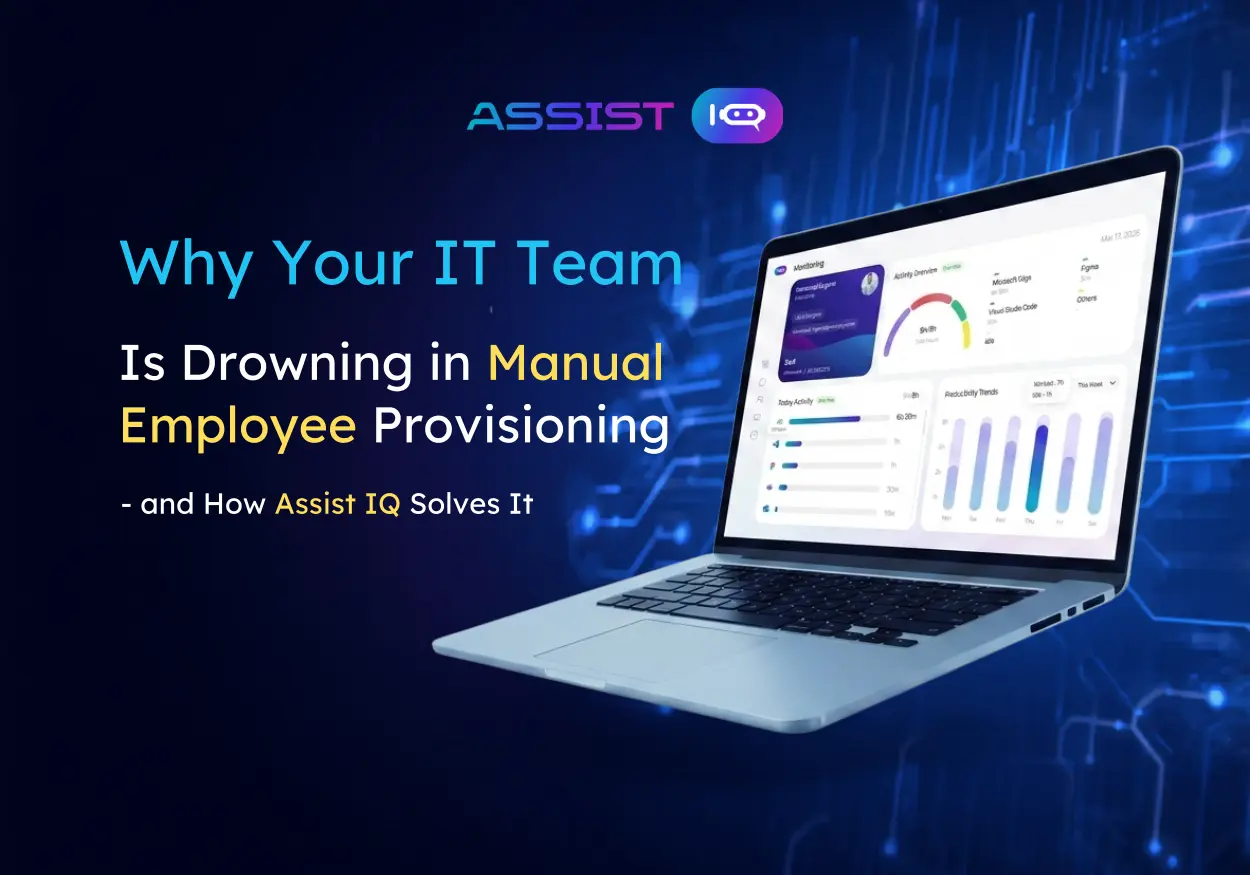
Assist IQ automates employee onboarding and offboarding for IT teams managing Microsoft 365 environments. From account creation to one-click offboarding with real-time monitoring, it replaces manual processes with secure, automated workflows that reduce errors and security risks.
The Problem: Manual Employee Provisioning Is Killing Your IT Team's Productivity
Your IT team just hired. New employee starts Monday. By 9 AM, you're juggling five different systems:
- Create Microsoft 365 account in Azure AD
- Assign the right licenses based on department (which licenses does Sales need again?)
- Allocate a device, log it in the system, configure it
- Generate and sign employee policy documents
- Store everything in the right SharePoint folder
By day two, you've discovered the marketing manager still has the old finance license. By week two, you find out accounts from terminated employees are still active.
Here's what IT teams deal with daily:
- 45+ minutes per new hire for basic account setup (across multiple systems)
- 30-40% of employee accounts remain active after offboarding (security nightmare)
- Manual license assignment leads to license waste (paying for unused seats)
- Device tracking is scattered across spreadsheets and ticket systems
- Policy documents are either missing or stored in random SharePoint folders
- Compliance audits reveal accounts that should have been deactivated months ago
The root cause? Fragmentation. You're stitching together multiple systems—each requiring manual steps, each a potential failure point.
What Assist IQ Does: Automation From Hire to Exit
Assist IQ treats employee lifecycle management as a unified workflow, not disconnected tasks.
The platform automates:
- Account creation and Microsoft 365 license assignment (role-based, automatic)
- Device allocation and inventory tracking
- Policy document generation and secure storage in SharePoint
- One-click offboarding (deactivates accounts, recovers licenses, revokes access, marks devices as returned)
- Real-time device monitoring (user presence, application tracking via WebSockets)
Everything is connected. Everything is logged. Everything is secure.

How Onboarding Works: From Hire to Day-One Ready
You add a new employee to your HR system. Assist IQ does the rest automatically.

The workflow:
- New employee record is created → Assist IQ triggers automatically
- Creates Microsoft 365 account with appropriate permissions
- Assigns licenses based on role and department (customizable rules)
- Allocates device and logs it in inventory
- Generates personalized policy documents (employee handbook, security policies, etc.)
- Stores documents securely in SharePoint with timestamped logging
- IT gets notification: "Employee ready for day one"
Result: What used to take 45+ minutes across 5 systems now happens automatically in minutes. New employees start with everything ready—no access delays, no missing licenses, no forgotten devices.
How Offboarding Works: One Click, Complete
An employee leaves. You click "offboard" in Assist IQ.

Instantly:
- Microsoft 365 account is deactivated
- All licenses are removed and returned to the available pool
- Access is revoked across connected systems
- Device is marked as returned and removed from active inventory
- All actions are timestamped and logged
Why this matters: Forgotten active accounts are a compliance violation and a security risk. Each terminated employee's account represents a potential backdoor. With manual offboarding, you're always missing something. With Assist IQ, nothing is missed—ever.
Real-Time Monitoring: Know What's Happening on Every Device
Assist IQ's lightweight agent runs on every managed device and provides:
User Presence Tracking:

- Know which employees are actively using their devices
- Identify unused licenses (if Device X hasn't been touched in 30 days, is that license necessary?)
- Spot shadow IT usage (apps being used that aren't in your approved list)
Application Tracking:

- See which applications are running across your fleet
- Identify unauthorized software
- Detect potential security risks in real-time (via WebSocket connections for minimal overhead)
Compliance Ready:
- Every action is logged with timestamps
- Audit trails show who accessed what, when
- Perfect for compliance audits and security investigations
Security by Design: Enterprise-Grade Architecture
Assist IQ isn't bolted-on security. It's built into the foundation.
Token-Based Authentication:
- All agents and integrations authenticate using tokens (not passwords)
- Tokens are scoped and rotatable
- Reduces credential exposure across your infrastructure
Role-Based Access Control:
- Permissions align with your enterprise policies
- IT admins only see what they need to see
- Audit logs track who accessed what information
Microsoft Graph API Integration:
- Uses permission-scoped access (least privilege principle)
- Only requests the permissions it needs
- No over-privileged service accounts
Encrypted Storage:
- Policy documents and sensitive employee data stored securely in SharePoint
- Data is encrypted in transit and at rest
- Your data stays in your cloud environment
Compliance Built-In:
- Audit trails for every action
- Timestamped logging for compliance requirements
- Works within your existing security posture (doesn't require new infrastructure)
What This Means for Your IT Team
Before Assist IQ:
- IT spends 40% of their time on repetitive provisioning/offboarding tasks
- Manual processes lead to errors, compliance gaps, and security risks
- Scaling to new locations or departments requires hiring more IT staff
- Every new hire is a manual workflow; every termination is a manual checklist
After Assist IQ:
- Provisioning and offboarding are automated (IT gets their time back)
- Security is consistent and auditable (no more forgotten deactivations)
- Scaling is painless (onboard 500 employees without hiring more IT staff)
- IT shifts from reactive, manual work to strategic, proactive operations
Specific wins:
- Time savings: 40-50 hours/month for IT teams managing 100+ employees
- Compliance: Zero missed offboarding steps (100% deactivation rate vs. current 60-70%)
- License optimization: Recover wasted licenses from shadow IT and unused accounts
- Faster hiring: New employees productive on day one (no access delays)
- Better security: Real-time monitoring + immediate access revocation on termination
Who Needs Assist IQ
Perfect fit:
- IT teams managing 50+ employees (manual processes start breaking at this scale)
- Companies with complex role-based licensing requirements
- Organizations that need strong compliance and audit trails
- Teams managing distributed workforces across multiple locations
- MSPs managing multiple customer environments
FAQ: Common Questions
Q: Does Assist IQ work with our existing Azure AD setup?A: Yes. It uses the Microsoft Graph API and integrates directly with your existing Azure AD and Microsoft 365 environment. No data migration needed—it works alongside your current setup.
Q: What if we use third-party identity systems (like Okta)?A: Currently optimized for Microsoft 365/Azure AD. Okta integration is on the roadmap.
Q: Can we customize license assignment rules by department?A: Yes. Define custom rules (Finance gets X licenses, Sales gets Y licenses) and Assist IQ applies them automatically for every new hire.
Q: How long does onboarding of a new employee take?A: Automation completes in 2-3 minutes. Manual IT approval steps (if required by your org) can be added.
Q: Is device monitoring required?A: No. Monitoring is optional. You can use Assist IQ for provisioning/offboarding without the monitoring agent.
Q: How are audit logs accessed?A: All logs are stored in Azure and accessible via your Assist IQ dashboard. Exportable for compliance reports.
Q: What happens to data when an employee is offboarded?A: User account is deactivated, licenses are recovered, devices are marked as returned. Data retention follows your organization's policies (you control what happens to their files in SharePoint/OneDrive).
Conclusion
Manual employee provisioning doesn't scale. It creates security gaps, wastes time, and costs money in wasted licenses.
Assist IQ shifts IT from manual, reactive work to automated, strategic operations. Your team focuses on infrastructure and security; the platform handles the repetitive work.
For IT teams managing 50-5,000+ employees, the ROI is immediate: fewer errors, faster hiring, stronger security, better compliance.
Ready to automate your employee lifecycle? Schedule a demo
For product inquiries, contact the team at: https://theinfinitechx.com/
Recent Post
Browse all post
From Copilots to Autonomous Co-Workers: How Agentic AI Is Redefining Enterprise Software in 2027
Top 20 Technology Trends in 2027 That Will Shape the Future of Business